#Samsung #OneUI9 #Bixby #GalaxyAI #SamsungGalaxy #AI #CongNghe #TinCongNghe #Android
Will users accept having their phone always monitor face distance just to call the AI assistant faster, or will this be Samsung's biggest controversial feature next year?
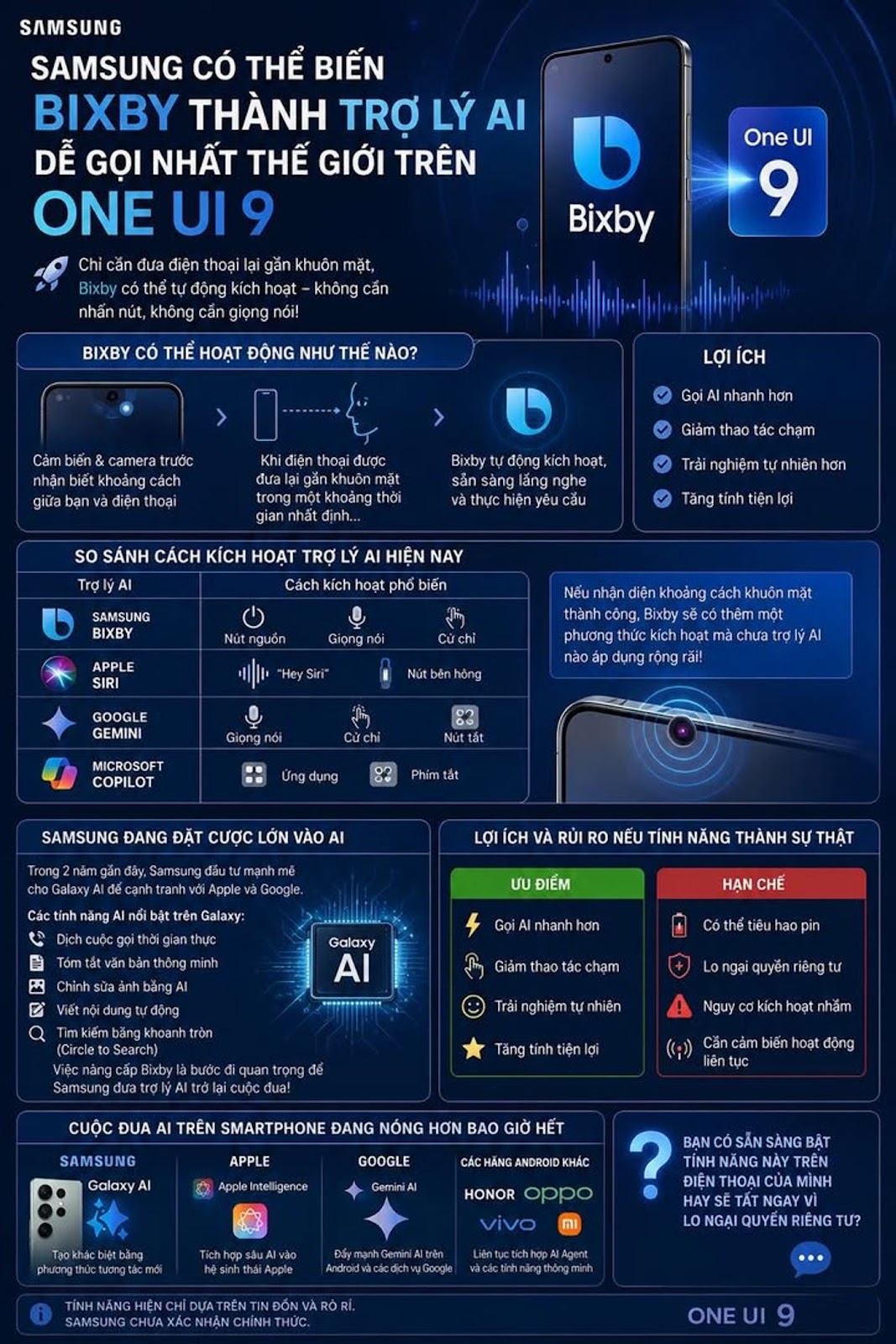
Samsung is said to be developing a completely new method to activate Bixby on One UI 9. Instead of pressing the power button, using voice commands or swiping on the screen, users can simply bring the phone close to their face to call the AI assistant.
This information appeared after Samsung strongly upgraded Bixby on One UI 8.5, adding many AI capabilities to create and process natural language. If the new feature is implemented, this could be one of the biggest changes to Bixby since the platform launched.
How Bixby Might Work
According to leaked sources, the Galaxy device's sensors and front camera can detect the distance between the user and the phone.
When it detects that the device is held close to the face for a certain period of time, the system can automatically activate Bixby to wait for commands.
This reduces the number of screen touches and creates a more natural interactive experience.
Compare Current Ways to Activate AI Assistants
AI Assistant Popular Activation Ways
Samsung Bixby Power button, voice, gestures
Apple Siri Hey Siri, side button
Google Gemini Voice, gestures, shortcut buttons
Microsoft Copilot Application hor keyboard shortcuts
If Samsung successfully implements the face distance recognition mechanism, Bixby will have an additional activation method that no major AI assistant has currently widely applied.
Samsung Is Betting Big on AI
In the last two years, Samsung has invested heavily in Galaxy AI to compete directly with Apple Intelligence and Google Gemini.
Outstanding AI features on current Galaxy devices include:
✔ Real-time call translation
✔ Smart text summary
✔ Edit photos with AI
✔ Write content automatically
✔ Search using Circle to Search
Upgrading Bixby is considered an important step to bring Samsung's AI assistant back into the race after many years of being inferior to Siri and Google Assistant.
Benefits and Risks If the Feature Comes True
Advantages Limitations
Call AI faster. May drain battery
Reduce touch operations Privacy concerns
Natural experience Risk of false activation
Increased convenience Needs sensor to operate continuously
The AI Race on Smartphones is Hotter than Ever
Samsung no longer only competes on cameras or performance. The new battle is focusing on how users interact with AI every day.
While Apple focuses on Apple Intelligence, Google promotes Gemini AI and Chinese manufacturers such as HONOR, OPPO, vivo or Xiaomi continuously integrate AI Agent, Samsung seems to want to make a difference with completely new interaction methods.
If One UI 9 actually allows activating Bixby just by bringing the phone close to your face, then yesy could become one of the most controversial AI features on the new generation Galaxy smartphone.
Are you willing to enable this feature on your phone or will you turn it off immediately due to privacy concerns?
#SamsungGalaxy #OneUI9 #BixbyAI #GalaxyAI #SamsungAI #AIThongMinh #Android #CongNgheMoi #TinCongNghe #SamsungFans #GalaxySSeries #GalaxyZFold #GalaxyZFlip #TriTueNhanTao #Smartphone