#Samsung #OneUI9 #OneUI #MotionPhoto #Galaxy #SamsungGalaxy #Android17 #GalaxyZFold8 #GalaxyZFlip8 #Live Wallpaper #Wallpaper #Technology #Android
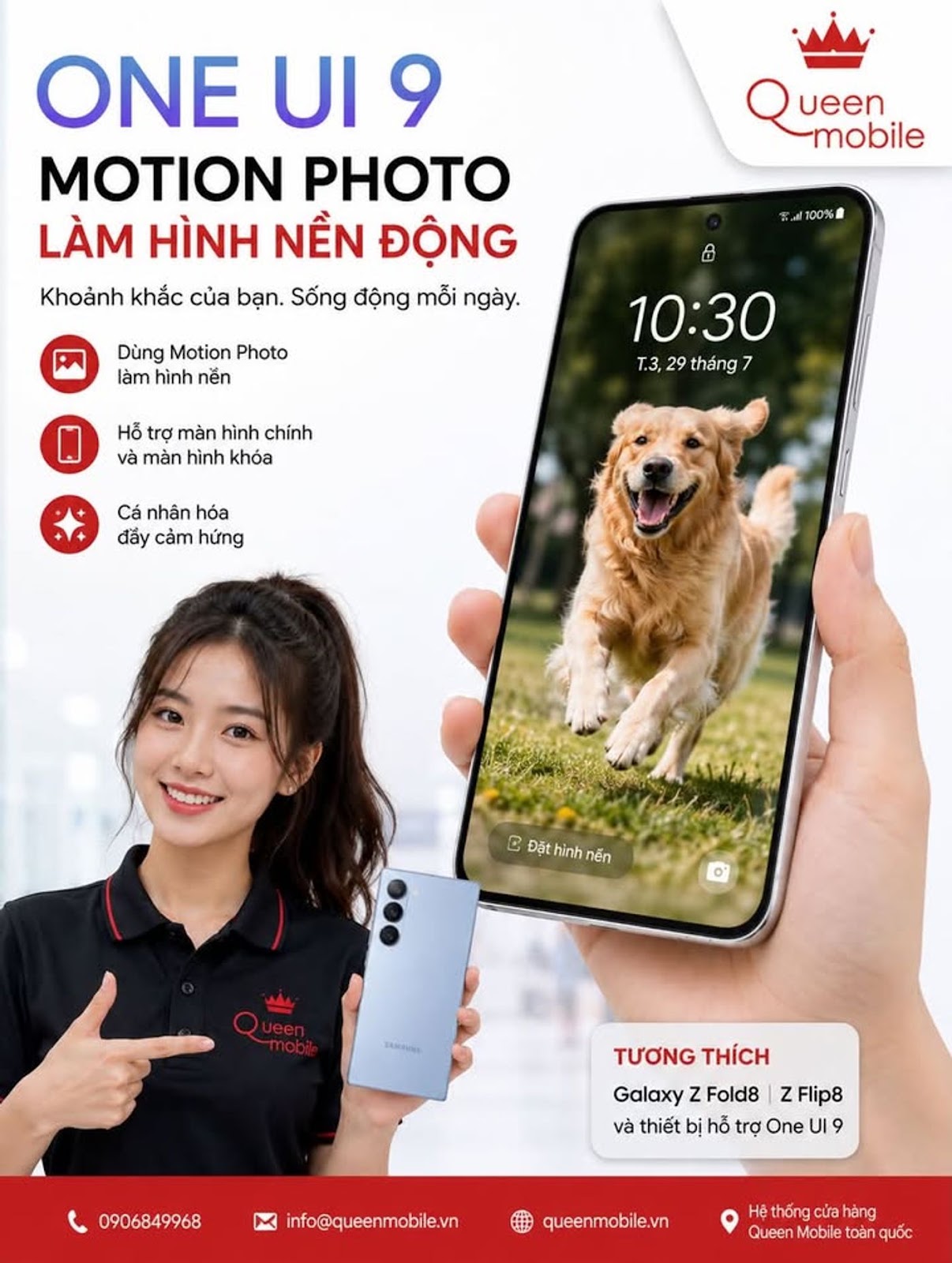
Samsung has just turned Motion Photos that were only meant to be viewed in the library into moving wallpapers right on the home screen. Is this a small upgrade but enough to make Galaxy users more addicted to personalizing their phones than ever?
1. Motion Photo is finally being properly utilized by Samsung
Motion Photo is not a new feature on Samsung Galaxy phones. When this mode is enabled in Camera, the device not only saves a still frame but also records a short segment of motion around the time the user presses the shutter button. Thanks to that, users can review the moment before and after shooting, choose a better frame or simply preserve the vivid feeling of the scene.
A notable new feature in One UI 9 is that Samsung has expanded the uses of these Motion Photos. According to information recorded by SamMobile and Android Authority, Motion Photo can now be set directly as wallpaper for the home screen, lock screen or both simultaneously on compatible devices. (SamMobile)
This is a seemingly small change but solves a limitation that has existed for quite a long time. Previously, users could own hundreds of Motion Photos, but the motion part was mainly only enjoyed when opening the photo in Gallery. Turning personal moments into wallpaperr makes this feature worth using more often.
2. How it works is quite simple
The usage process does not require users to convert Motion Photo into video or install additional external applications.
One UI Operation 9
Select Motion Photo in Gallery Yes
Set for home screen Yes
Set for lock screen Yes
Set both monitors simultaneously Yes
Effect Preview Yes
Turn motion on or off Yes
When selecting a Motion Photo as wallpaper, One UI 9 provides a preview screen for users to test the effect. Samsung also allows you to enable or disable the motion part of Motion Photo before confirming the wallpaper. (SamMobile)
This is important because not all Motion Photos are suitable for continuous movement. A photo of a landscape, a pet, children playing or a street scene can look great in motion, while others are better suited to a more static wallpaper.
3. Notable differences compared to One UI 8.5
Samsung actually pushed moving wallpapers from One UI 8.5. This version features interactive Graphical Wallpapers, some of which react to the phone's motion sensors or touch gestures.
However, a notable limitation is that the animations of Graphical Wallpapers on One UI 8.5 mainly appear on the lock screen, while when brought to the home screen they may only display in static form. (SamMobile)
One UI 8.5 One UI 9 capabilities
Moving Wallpaper Yes Yes
Interactive Graphical Wallpaper Yes There is an ongoing customization ecosystem
Using Motion Photo cdemihuman Restrictions Yes
Motion Photo on Home Screen Not an equivalent standard feature Yes
Motion Photo on Lock Screen Not an equivalent standard feature Yes
One Motion Photo for both screens No
The big difference lies in the personalization factor. Samsung no longer limits users to the moving wallpapers prepared by the company, but allows taking images taken by users to create their own experiences.
4. A family photo can also become a living wallpaper
Imagine users taking a Motion Photo of a pet running toward the camera, a trip with moving ocean waves in the background, a car passing through the frame, or a moment when a loved one is smiling.
Instead of just seeing a fixed frame every time you open your phone, One UI 9 can bring the motion of that moment to the screen.
This is the advantage of Motion Photo compared to pre-built animated wallpaper stores. The content is not only beautiful but also has personal meaning.
And Samsung is taking advantage of a source of content that Galaxy users have created themselves for years.
5. Samsung is getting closer to Apple's Live Photo experience
The idea of using moving photos as wallpaper is not entirely new in the smartphone industry. Apple has been developing Live Photos for a long time and has integrated them quite deeply into the iPhone ecosystem.
Therefore, Samsung's change will certainly make many people think of how Apple exploits Live Photo.
However, One UI 9 brings this feature to the already extensive personalization systemof Galaxy.
Samsung Motion Photo Apple Live Photo criteria
Save the moment of movement around the time of shooting Yes Yes
View motion in gallery Yes Yes
Take advantage as a moving wallpaper One UI 9 extends support Available on compatible iOS versions
Customization ecosystem complements One UI, Good Lock, Wonderland iOS personalization tools
Image source User camera User camera
The competition here is no longer simply which company has the better wallpaper. More important is which operating system can make users' personal photos and videos a natural part of the interface.
6. Not every Galaxy running One UI 9 will definitely have it right away
This is a point users need to pay special attention to.
Current reports confirm the Motion Photo Wallpaper feature appearing on the new generation of foldable Galaxy devices running One UI 9. SamMobile says One UI 9 launches with the Galaxy Z Flip 8 and Galaxy Z Fold 8, while Android Authority notes the feature on new folding screen devices but has not seen it appear on the Galaxy S26 running the One UI 9 beta at the time of testing. (SamMobile)
That doesn't mean you should understand that upgrading to One UI 9 means every Galaxy phone will immediately have Motion Photo Wallpaper.
Device group reported Status recorded
Galaxy Z Fold 8 Yes
Galaxy Z Flip 8 Yes
Some new Fold variants Report support
Galaxy S26 running One UI 9 beta Not recorded by Android Authority at the time of testing
Older Galaxy models upgrade to One UI 9. Need to wait for Samsung to deploy and confirm
Samsung can fully expand features through subsequent firmware releases, but the final scope of support will need to be based on the actual firmware of each device and each market.
7. A small change but shows the big direction of One UI
Motion Photo Wallpaper is not a feature that can make users immediately change phones. It's also not as important as battery life, camera, performance or update policy.
But in terms of daily use experience, this is a very noticeable upgrade.
Users look at the home screen dozens, even hundreds of times every day. Turning a moment that sits dormant in the Gallery into a living part of the interface can make the phone feel truly personal.
More notably, One UI 9 is continuing to expand the ability to customize the home screen. The stable version on the new Galaxy Z generation also adds a Google Search option next to Finder on the Home Screen, showing that Samsung continues to edit the elements users interact with most often. (Android Authority)
8. The battery problem is also worth paying attention to
Moving wallpapers in principle need to process more frames than static wallpapers. Therefore, resource consumption may be higher depending on how Samsung implements animations, motion duration, trigger frequency, and screen type.
However, there is currently no reliable test data to conclude how much Motion Photo Wallpaper on One UI 9 reduces battery life.
So the numbers kind of decrease by 5percent or 10 percent battery per day that has not been measured under controlled conditions should not be considered official data.
The fact that Samsung allows users to turn off animation right during the wallpaper setting process is also a useful option if users like the photo but do not want the motion effect. (SamMobile)
9. Motion Photo from a secondary feature becomes a personalized asset
The most interesting thing about One UI 9 is not that Samsung invented a completely new type of wallpaper.
Samsung is doing something more practical, which is connecting the Camera, Gallery and Wallpaper system together.
Camera creates Motion Photo
Gallery saves and manages Motion Photo
One UI turns Motion Photo into wallpaper
Home Screen and Lock Screen become places to showcase that moment
An old camera feature thus has a new life of use.
If Samsung continues to expand Motion Photo Wallpaper across multiple Galaxy generations instead of limiting it to new flagships, this could become one of One UI 9's most used personalization features.
And the most controversial question is probably not whether Samsung can do it or not, but why does a natural feature like putting Motion Photo on the main screen have to wait until One UI 9 to appear?
#Samsung #SamsungGalaxy #OneUI9 #OneUI9Update #MotionPhoto #MotionPhotoWallpaper #GalaxyZFold8 #GalaxyZFlip8 #GalaxyS26 #Android17 #Live Wallpaper #Samsung Wallpaper #SamsungCamera #GalaxyCamera #SamsungGallery #GoodLock #Wonderland #Android #Technology #Technology News